Google Expands Gemini AI Integration Inside Chrome Browser
 JPhilips
29/01/2026
JPhilips
29/01/2026 
Google has introduced significant updates to the way its Gemini artificial intelligence works within the Chrome web browser. The changes, announced on January 28, build on the companys latest Gemini 3 model and aim to make everyday browsing more intuitive and efficient.
The updates arrive at a time when web browsers are increasingly incorporating artificial intelligence tools to assist users. Chrome, which holds the largest share of the global browser market, already offered some Gemini capabilities through a toolbar icon or keyboard shortcuts. These new developments take that integration further, placing Gemini more centrally in the browsing experience.
A Persistent Side Panel for Direct Access
One of the most visible changes is the addition of a persistent side panel that keeps Gemini readily available while users navigate the web. Previously, accessing Gemini required opening a separate window or using the address bar. The new panel allows users to interact with the assistant without leaving the current page.
The design reflects feedback from users who wanted faster access to AI help. With the panel open, people can ask questions about the content they are viewing, request summaries, or seek explanations of complex ideas directly alongside the webpage. Google described the change as a step toward making assistance feel more natural during browsing sessions.
Deeper Connections Across Google Services
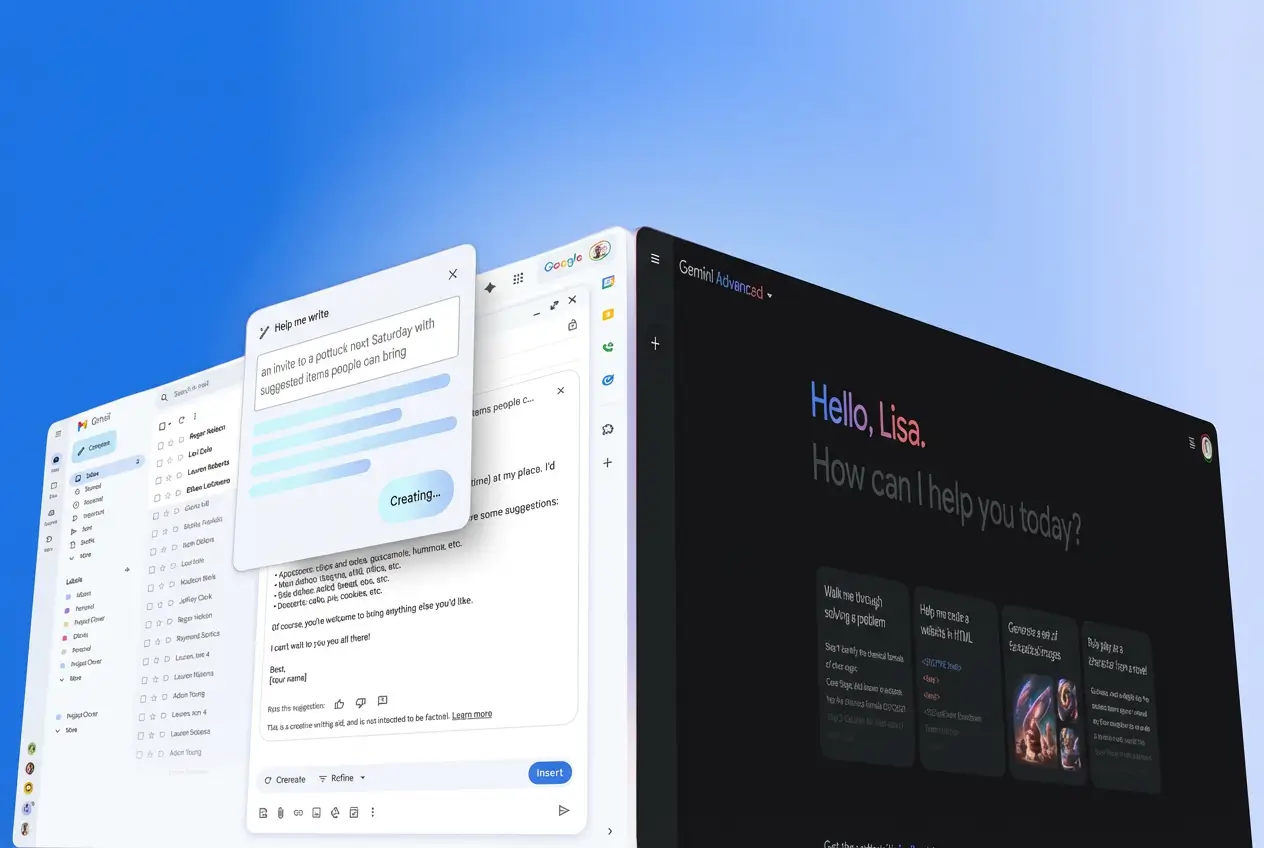
The updates also strengthen links between Gemini in Chrome and other Google applications. The assistant can now reference information from Gmail, Calendar, Drive, and Maps when providing answers, provided the user has granted the necessary permissions.
This connected approach means Gemini can offer more relevant suggestions. For example, when viewing a restaurant website, the assistant might check upcoming calendar events or past emails to recommend suitable booking times. The feature builds on existing integrations but expands their scope and reliability.
Google Adds Gemini AI Side Panel and Auto Browse to Chrome
— Veo Prompt (@VeoPrompt) January 29, 2026
Google updates Chrome with Gemini AI, adding a side panel, deeper Google app integration, and auto browse to help users complete tasks faster online.
Read more: https://t.co/8Q5ec0DDDa pic.twitter.com/kbPpRQ9otE
Personal Intelligence for Tailored Assistance
Google has introduced what it calls Personal Intelligence, a capability that allows Gemini to remember context from previous conversations. This enables the assistant to provide responses that better reflect individual preferences and past interactions.
The system draws on approved user data to refine its suggestions over time. Officials emphasized that the feature operates only with explicit user consent and remains under the users control. Early descriptions suggest it will make routine tasks feel more customized without requiring repeated explanations.
The New Auto Browse Capability
The most ambitious addition is a feature called auto browse, currently available in preview. This tool allows Gemini to perform multi step tasks across websites on behalf of the user.
With auto browse, the assistant can navigate pages, scroll through content, click links, and enter text into forms. Users initiate the process by describing the desired outcome in natural language, such as finding and comparing flight options or completing a purchase. Gemini then carries out the necessary actions within the browser.
The capability is limited to Google AI Pro and Google AI Ultra subscribers and is rolling out first in the United States. Google has positioned auto browse as a way to handle repetitive or time consuming online tasks more efficiently. Company representatives noted that the feature underwent extensive safety testing before its controlled release.
Additional Creative Tools
Alongside these changes, Google has added an image generation tool referred to as Nano Banana. Users can create images directly within the browser based on text descriptions, offering a convenient way to produce visuals for presentations, social media, or personal projects.
The tool integrates into the same side panel interface, maintaining consistency across the new features.
Current Availability and Future Plans
The updates are reaching desktop versions of Chrome on Windows, macOS, and Chromebook Plus devices. Most features are available immediately to users who sign in with a Google account, though auto browse remains restricted to premium subscribers in the United States.
Google has not provided a detailed timeline for wider international availability. Company statements indicate that further rollout will depend on additional testing and regional considerations. For users outside the United States, the core Gemini assistance through the toolbar and address bar remains unchanged for now.
Background on the Gemini 3 Model
The updates rely on Gemini 3, which Google released in November 2025. Described by the company as its most capable model to date, Gemini 3 introduced improvements in reasoning, multimodal understanding, and task execution.
The model family includes variants optimized for different needs, from fast responses to deeper analysis. Gemini 3 powers not only consumer products like the Gemini app and search features but also enterprise tools through Google Cloud. Its integration into Chrome represents one of the most direct ways everyday users encounter the latest advancements.
Evolving Role of AI in Web Browsers
Web browsers have gradually incorporated more intelligent features over the past several years. Microsoft was among the first to embed a prominent AI assistant in Edge through its partnership with OpenAI. Other browsers, including Arc and Opera, have followed with their own AI tools focused on summarization, tab management, and writing assistance.
Googles latest moves place Chrome more firmly in this competitive landscape. By leveraging its own model and extensive user base, the company seeks to offer a cohesive experience across its ecosystem. The persistent side panel and auto browse in particular signal an ambition to move beyond simple question answering toward active task completion.
Market analysts note that browser choice increasingly influences how people interact with artificial intelligence online. With Chrome used by roughly two thirds of desktop and mobile users worldwide, changes to its feature set carry broad implications.
Considerations for Privacy and Control
As browser based AI becomes more capable, questions about data usage and user control remain prominent. Google has stated that all new features require explicit permission for data access and that users can disable or limit them at any time.
The auto browse capability, which involves the assistant interacting with third party websites, has drawn particular attention. Company documentation stresses that actions occur only under direct user instruction and that sensitive information handling follows established privacy standards.
European regulators have maintained close scrutiny of major technology platforms data practices. While the initial rollout targets the United States, any future expansion into Europe would need to align with regional requirements, including the General Data Protection Regulation.
Looking Ahead
The latest Chrome updates mark another stage in the integration of advanced artificial intelligence into daily tools. By making Gemini more accessible and capable within the browser, Google aims to streamline common online activities and provide more relevant support.
For many users, the changes will simplify routine tasks and offer new ways to explore the web. Premium subscribers in the United States gain the earliest access to the most advanced features, while others receive meaningful improvements in basic assistance.
As the technology continues to develop, the line between traditional browsing and AI assisted navigation appears set to blur further. These developments in Chrome illustrate how major platforms are reshaping fundamental aspects of internet use, one update at a time.